
Manually copying data from a new form submission into your CRM, then into your email list, and finally into a Slack channel is a universal time-waster. Automation tools promise to solve this, but choosing the right one can feel like a job in itself.
With powerful no-code platforms like Zapier, Make, and n8n available, how do you decide which one is the right fit to reclaim your time and streamline your business processes?
Quick summary for busy readers:
- Choose Zapier for maximum simplicity and the widest range of app integrations, ideal for straightforward automation tasks.
- Opt for Make (formerly Integromat) when you need to build complex, multi-step processes with advanced logic on a budget.
- Consider n8n if you need total control, have specific data privacy requirements, and are comfortable with self-hosting and technical setup for your automated processes.
The Big Three No-Code Automation Tools: Zapier, Make, and n8n at a Glance
To start, let’s get a quick overview of what each no-code platform brings to the table and who it’s generally best suited for.
Zapier: The ‘Point-and-Click’ Champion for Simple Automations
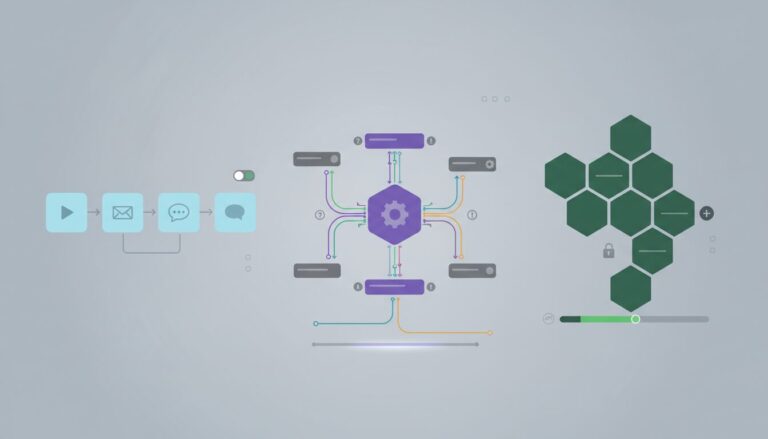
Zapier is often the first name that comes to mind for no-code automation, and for good reason. It’s built for ease of use, making it ideal for beginners and teams who need to connect thousands of apps with minimal fuss. Its linear, step-by-step approach makes creating ‘Zaps’ (their term for automations) incredibly fast. If you’re looking for a tool that works like a digital assistant, connecting app A to app B with simple ‘if this, then that’ logic, Zapier is a strong contender for your automation needs.
Make: The ‘Visual Workflow Architect’ for Complex Processes
Formerly known as Integromat, Make offers a highly visual builder that appeals to users who think in flowcharts. Its canvas allows you to drag and drop modules, connect them with lines, and easily visualize how data flows through your automation. This makes it superb for complex branching logic, routing data down different paths, and performing intricate data manipulation that can be difficult in more linear tools. If your automation involves multiple decisions or complex data transformations, Make gives you the visual control to design them effectively.
n8n: The ‘Developer’s Toolkit’ for Custom Automation
n8n stands out as an open-source, self-hostable option for automation. This means you can install it on your own server, giving you ultimate control over your data and infrastructure. It appeals to those who prioritize customization, strict data privacy, and cost control, especially for high-volume tasks. While it offers incredible flexibility and power for building custom automations, it does require a certain level of technical comfort for setup and ongoing maintenance. If you have IT support or a developer mindset, n8n unlocks a world of possibilities for advanced process automation.
Head-to-Head Comparison: The 4 Deciding Factors for Your Automation Tool
Now, let’s break down the key areas where these automation tools differ, helping you weigh each platform against your specific priorities.
Ease of Use vs. Power in Automation
- Zapier: It is the easiest to learn and get started with for basic automation. You are guided through steps, making it very beginner-friendly. However, this simplicity can sometimes limit its power for highly complex scenarios.
- Make: It has a steeper learning curve than Zapier. The visual canvas, while powerful, requires you to understand modules, routing, and error handling more deeply. Once you grasp it, you gain significant visual control over complex process logic.
- n8n: This is the most powerful and flexible for custom automation, but it demands technical proficiency. Setting it up, configuring integrations, and troubleshooting often involve working with code snippets or understanding API documentation. It is not a tool for the faint of heart if you are completely new to technical concepts.
Handling Workflow Complexity
- Zapier: Excels at simple ‘if this, then that’ tasks or linear multi-step automations. If your process is mostly about moving data from one app to another in a straight line, Zapier handles it beautifully.
- Make: For multi-path scenarios with intricate data handling, conditional logic, and error routes, Make’s visual builder is highly effective. You can design complex flowcharts that react differently based on data inputs, making it perfect for elaborate business processes and advanced automation.
- n8n: Can handle virtually any complexity if you have the technical skill to build it. Its open-source nature means you are not limited by pre-built modules; you can write custom code or connect to almost anything with an API, offering ultimate flexibility for your automated processes.
Integration Availability for Your Automation Needs
- Zapier: Boasts the largest library of pre-built app integrations, connecting with over 5,000 applications. Chances are, if you use a popular business tool, Zapier has an integration for it, making it easy to connect your automated tasks.
- Make: Also has an extensive library of integrations, often covering most popular apps. However, it might lack some niche applications that Zapier supports. It also offers powerful HTTP/webhook modules for connecting to almost any API for your automation.
- n8n: Provides a good number of pre-built integrations, but its real strength lies in its ability to connect to virtually any service via custom HTTP requests or JavaScript functions. If an integration does not exist for your process, you can often build it yourself, though this requires technical effort.
Pricing Model for Automation Solutions
- Zapier: Uses a task-based model. Each action performed in a Zap (e.g., adding a row to a spreadsheet, sending an email) counts as a task. This can get expensive quickly if you have high volumes or complex Zaps with many steps in your automated process.
- Make: Operates on an ‘operations’ model. An operation is generally a single data manipulation or API call. For complex processes with many steps but fewer overall ‘operations’ (e.g., one webhook triggering a long chain of internal logic), Make’s model can often be more cost-effective for automation.
- n8n: Can be the cheapest option if you self-host, as you only pay for your server infrastructure (which can be very low-cost) and your time. However, you must factor in the ‘hidden’ costs of server maintenance, updates, and potential troubleshooting for your automation setup. They also offer a cloud-hosted version with traditional subscription pricing.
Avoiding Common Pitfalls: 3 Mistakes That Derail Automation
When diving into automation, it is easy to get excited and overlook some crucial aspects. Learning from common mistakes can save you a lot of headache and ensure your automation projects succeed.
Mistake 1: Choosing on Price Alone for Your Automation Tool
It is tempting to pick the cheapest automation tool, especially if you are on a tight budget. However, choosing a cheaper tool like Make or n8n without realistically considering the ‘time cost’ of a steeper learning curve can lead to significant frustration and abandoned projects. If your team is not comfortable with visual programming or technical setup, the hours spent troubleshooting might negate any initial cost savings. Honestly assess your team’s technical skills before committing to an automation platform.
Mistake 2: Building Automation Without a Plan
Jumping straight into building automations without first mapping out your process on paper (or with a simple flowchart tool) is a common trap. This often results in confusing ‘spaghetti automations’ that are hard to understand, debug, and maintain. When business processes change, these poorly structured automations become brittle and prone to failure. Always diagram your desired flow, including all conditions and data transformations, before you configure it in the tool. This structured approach ensures clarity and resilience in your automations.
Mistake 3: Ignoring Data Security in Your Automated Processes
Automating tasks often involves sensitive customer or business data. Users sometimes neglect to investigate how each platform handles data, where it is stored, and compliance requirements (like GDPR or HIPAA). For cloud-based tools like Zapier and Make, your data passes through their servers. For self-hosted n8n, improper server configuration can create vulnerabilities. This oversight can lead to data breaches, compliance fines, and reputational damage. Understand each platform’s data handling policies, utilize minimal necessary permissions for integrations, and consult your IT or legal department when sensitive data is involved in your automation. For n8n, ensure your self-hosted instance is securely configured and regularly updated.
Before you choose your automation tool, consider this checklist:
- List the top 5 apps you absolutely must connect for your automation.
- Diagram your most critical process on paper, including all conditions and data transformations.
- Honestly assess your team’s technical comfort level (Beginner, Intermediate, or Developer-level) for managing automation.
- Estimate your monthly volume of tasks or operations to project costs for your automated processes.
- Use the free trial or community edition to build a small proof-of-concept automation.
The ‘best’ automation tool is simply the one that fits your unique combination of process complexity, technical skill, and budget. Do not aim for the most powerful platform; aim for the most practical one for your team’s automation needs. Start with one clear, achievable automation, get that first win, and you will be on your way to saving hours of manual work through effective automation.