
How to Write Internal Announcements Faster
Every office worker knows the drill: a new policy, an upcoming event, or critical system maintenance requires a company-wide announcement. What often follows is staring at a blank screen, wrestling with tone, clarity, and conciseness, all while your to-do list grows. This common bottleneck in internal communication can easily consume valuable time, pulling you away from other priorities.
But what if you could cut that drafting time in half, ensuring your internal messages are not just fast, but also effective and engaging?
Quick summary for busy readers:
- Utilize AI tools to generate initial drafts and refine existing text, significantly reducing writing time.
- Craft clear, specific AI prompts to ensure relevant and high-quality content tailored to your needs.
- Always apply critical human review to AI output, injecting company-specific context and ensuring accuracy and appropriate tone.
The AI Advantage: Why Speed Matters in Internal Comms
Internal announcements are the lifeblood of any organization. They inform, align, and motivate your team, ensuring everyone is on the same page regarding company culture, operational changes, and important updates. However, the process of drafting these messages often becomes a time sink. You might get stuck on the perfect title, struggle to craft an engaging introduction, or spend too long refining the main body to be both comprehensive and concise. This “writer’s block” or the sheer demand for perfection can delay crucial communications.
This is where AI writing tools step in. They don’t just offer a helping hand; they can dramatically reduce the time spent on initial content generation and subsequent refinement. By leveraging AI, you can overcome common sticking points, ensure consistent messaging across various internal communications, and free up valuable time for other strategic tasks.
4 Practical Steps to Draft Internal Announcements Faster with AI
Using AI effectively for internal announcements isn’t about letting the machine do all the work, but about guiding it to produce the best possible first draft, allowing you to focus on the crucial human touch. Here’s a practical routine you can follow:
1. Define Your Core Message and Audience
Before you even open an AI tool, be crystal clear about what you want to communicate and to whom. This clarity is your foundation. Ask yourself:
- What is the announcement’s primary purpose? (e.g., inform, request action, celebrate)
- What is the absolute key information employees need to know?
- What specific action, if any, do you want them to take?
- Who is the target audience? (e.g., all employees, specific department, leadership)
- What tone is appropriate? (e.g., informative, enthusiastic, urgent, supportive)
Having these points clear in your mind will help you craft precise AI prompts, avoiding vague or irrelevant output.
2. Outline with a Smart AI Prompt
Once your core message is defined, use AI to generate a basic structure. This helps you get over the blank page hurdle and ensures all necessary components are included. Be specific in your prompt.
Draft an internal announcement about [topic, e.g., the new flexible work policy] for [audience, e.g., all employees]. Include a clear title, a brief introduction, 3-4 key details, a required action, and a professional closing. Tone: [e.g., informative, supportive].
The AI will provide a foundational draft, often including a title, introductory paragraph, bullet points for details, a call to action, and a closing statement. This structure gives you a solid starting point.
3. Flesh Out Sections with Targeted Prompts
If you find yourself struggling with a particular section of the AI’s initial outline, use targeted prompts to expand or improve it. This is particularly useful for crafting engaging introductions, detailed body paragraphs, or clear calls to action.
- Crafting the Introduction: Use a prompt like:
Write a concise and engaging introduction for an internal announcement about [topic] that highlights [key benefit/change, e.g., how it will improve work-life balance].
- Elaborating the Body: Provide your key bullet points and ask the AI to expand on them. For example:
Expand on these key details for an internal announcement: [List your bullet points here, e.g., ‘New core hours 10 AM – 4 PM’, ‘2 days remote maximum per week’, ‘Manager approval required’]. Ensure the language is clear and easy to understand.
- Defining the Call to Action: Prompt the AI for a clear instruction:
Suggest a clear and actionable call to action for employees regarding [topic, e.g., the new flexible work policy]. It should prompt them to [desired action, e.g., ‘review the full policy document by [Date] and discuss with their manager’].
4. Refine and Polish with AI Assistance
Even after fleshing out sections, your draft might need a final polish for clarity, conciseness, or tone. AI can be an excellent editing assistant. You can ask it to:
- To improve clarity and conciseness: Use prompts such as:
Make this paragraph more professional and direct: ‘[paragraph text]’.
Shorten this announcement by 20% without losing key information.
- To adjust the tone: Try prompts like:
Adjust the tone of this message to be more supportive and empathetic: ‘[full announcement text]’.
Make this announcement sound more enthusiastic and celebratory: ‘[full announcement text]’.
Remember, the goal is to refine, not to replace your critical judgment. Review the AI’s suggestions and integrate them thoughtfully.
Avoiding the 3 Common AI Announcement Blunders
While AI is a powerful ally, it’s not foolproof. Understanding potential pitfalls helps you use it more effectively and avoid wasting time fixing mistakes later.
1. Over-reliance Without Critical Human Review
A common mistake is using AI to generate an internal announcement and sending it out with minimal or no human review. AI may produce generic, inaccurate, or tonally inappropriate content that lacks your company’s specific context or nuance. This can lead to confusion, misinformation, or a perception of insincerity, breaking trust and requiring more time to correct later.
To prevent this, always treat AI output as a first draft. Critically review every sentence for accuracy, brand voice, company-specific jargon, cultural appropriateness, and tone. Edit heavily to inject the human element and ensure alignment with your organization’s values. Remember, your unique company culture and specific details are things AI cannot fully replicate.
2. Poorly Structured or Vague AI Prompts
Providing unclear or insufficient instructions to the AI (e.g., “Write an announcement about a new policy”) is another pitfall. This will result in irrelevant, generic, or unhelpful output, wasting time and effort because the AI cannot infer your specific needs, leading to a “garbage in, garbage out” scenario.
To avoid this, be highly specific in your prompts for internal announcements. Clearly define the audience, purpose, key messages, desired tone, length, and any mandatory inclusions or exclusions. Use bullet points for key information and provide examples if possible. Think of it as instructing a new intern: the more detail you provide upfront, the better the initial outcome will be.
3. Ignoring Company-Specific Jargon or Internal Context
AI models are trained on general data and won’t inherently know your internal acronyms, project names, team structures, or specific cultural references. This often results in internal announcements that feel impersonal, confusing, or even alien to employees, significantly hindering effective communication.
To ensure authenticity, explicitly provide AI with relevant internal context, definitions for acronyms, and company-specific terms in your prompts. For example, if you mention “Project Phoenix,” clarify it if it’s not a widely known term. After generation, manually inject these elements and ensure the language resonates authentically with your internal audience. Consider creating a ‘glossary’ or ‘style guide’ to feed into the AI for consistency if you use it frequently.
Real-World Examples: Prompts for Common Internal Announcement Scenarios
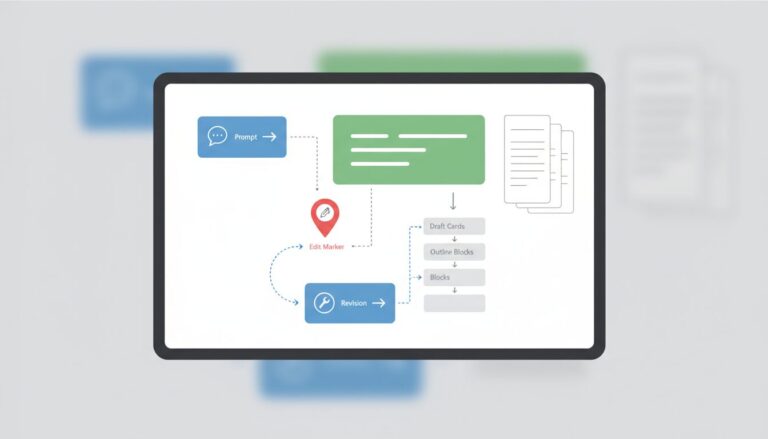
Here are some ready-to-use prompts for typical internal announcements. Just fill in the bracketed information to get started quickly:
Policy Update Announcement
Draft an internal announcement for all employees about the new flexible work policy. Key points: new core hours 10 AM – 4 PM, 2 days remote maximum per week, manager approval required. Audience: All employees. Tone: Informative, supportive. Call to action: Review the full policy document by [Date] and discuss with your manager.
Event Invitation Announcement
Write an engaging internal announcement inviting staff to our annual ‘Summer Fun Day’ on [Date] at [Location]. Include details about BBQ, team games, and a raffle. RSVP by [Date] for catering purposes. Audience: All employees and their families. Tone: Enthusiastic, friendly, inclusive.
System Downtime Announcement
Generate a concise internal announcement about scheduled IT system maintenance for the ‘Project Management Portal’ on [Date] from [Time] to [Time]. Explain the impact (e.g., system will be unavailable, no access to project files) and provide a contact for urgent issues ([IT Helpdesk Email/Number]). Audience: All project managers and team members. Tone: Professional, clear, proactive.
Beyond the First Draft: Templates and Review for Internal Announcements
To further boost your efficiency and ensure consistent quality, incorporate these practices:
Create and Utilize Reusable Templates
Once you’ve refined an AI-generated announcement that worked well for a specific type of communication (e.g., new hire welcome, system update, event invitation), save it as a template. You can even store the specific AI prompts that generated it. Develop a library of these AI-generated templates with placeholder brackets for names, dates, and specific details. This allows for quick customization, turning hours of drafting into minutes of editing for future announcements.
Develop a Consistent Review Process
Even with AI’s help, human oversight is non-negotiable. Before any internal announcement goes out, have a colleague or manager quickly read through it. A fresh pair of eyes can catch errors, improve clarity, identify any unintended tone, or suggest ways to make the message land more effectively. This simple step ensures accuracy and alignment, preventing miscommunication and preserving trust within your organization.
Your Fast Announcement Checklist:
- ✓ Clearly define your announcement’s core message, audience, and desired outcome.
- ✓ Use specific, detailed AI prompts to generate initial outlines and content.
- ✓ Flesh out each section with targeted AI prompts for introductions, body, and calls to action.
- ✓ Refine and polish AI-generated text for clarity, conciseness, and tone.
- ✓ Critically review all AI output for accuracy, company-specific context, and brand voice.
Think of AI as your expert co-pilot, not an autopilot. It’s there to augment your writing, not replace your critical thinking or the essential human touch. By mastering prompt engineering and maintaining a diligent review process, you’ll not only write internal announcements faster but also ensure they land with maximum impact and clarity, making your internal communications truly effective.
- [1]
OpenAI Help Center
Official help for ChatGPT and AI usage guidance
- [2]
Google Gemini Help
Official help for Gemini and AI workflows